D20 Loot Tracker for Foundry VTT: Setup and Sync
The D20 Loot Tracker module links a Foundry world to a campaign in the app, and keeps items, coins and inventories in step both ways. Setup takes four steps, and only the GM does it.
Published October 12, 2026
Before you start
You need a D20 Loot Tracker account that owns the campaign or is its DM, with the party's characters already in it. Players do not need to do anything: only the GM installs the module and connects the world.
The module works on Foundry VTT 13 and 14 with these game systems:
- D&D 5e (dnd5e 6.x on Foundry 14)
- Pathfinder 2e (pf2e 8.x on Foundry 14)
- Pathfinder 1e (pf1 11.11 on Foundry 13)
Setup in four steps
1.Install the module
In Foundry's setup screen, open Add-on Modules, click Install Module, search for D20 Loot Tracker and install it. If you prefer, paste this manifest URL into the same window instead:
https://app.d20-loot-tracker.com/foundry/module.json
Then launch your world, open Settings, then Module Management (Manage Modules in Foundry 13), tick D20 Loot Tracker and save. Foundry reloads the world with the module on.
The module on foundryvtt.com2.Connect the world
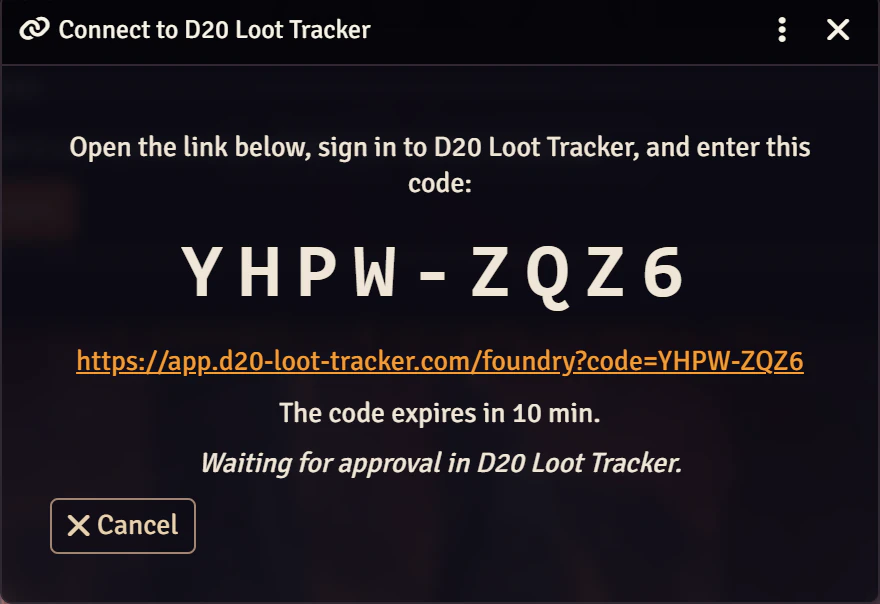
Logged in to the world as a GM, open Settings, then Game Settings (Configure Settings in Foundry 13), choose D20 Loot Tracker and click Connect and link actors, then Connect. Foundry shows an eight-character code such as ABCD-1234.
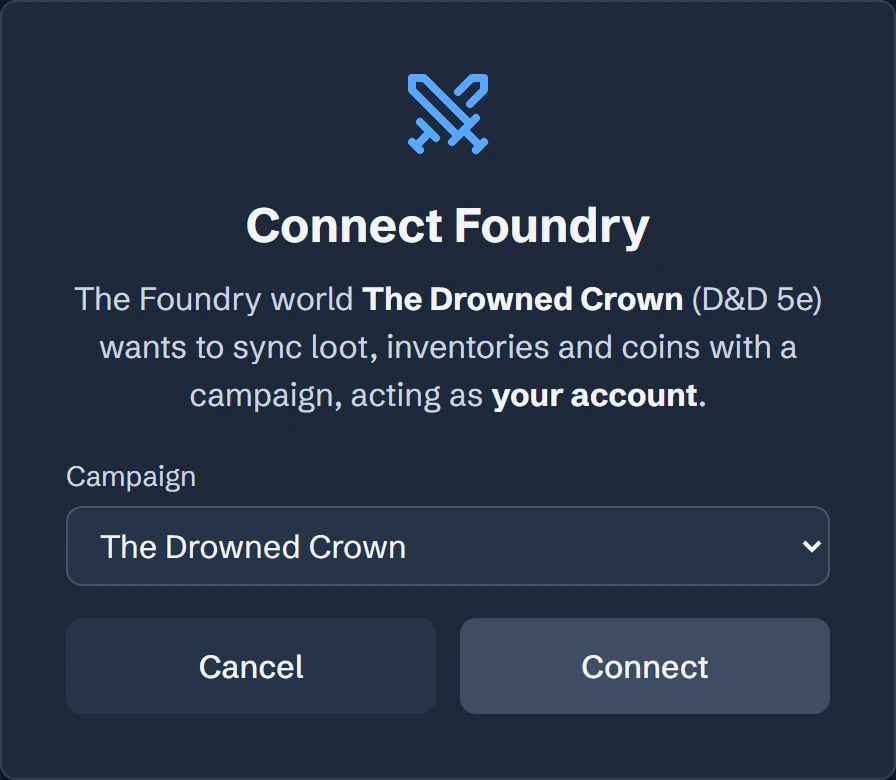
Open app.d20-loot-tracker.com/foundry, sign in, enter the code and pick the campaign. The code is good for ten minutes; if it runs out, ask Foundry for a new one.
3.Link each character to an actor
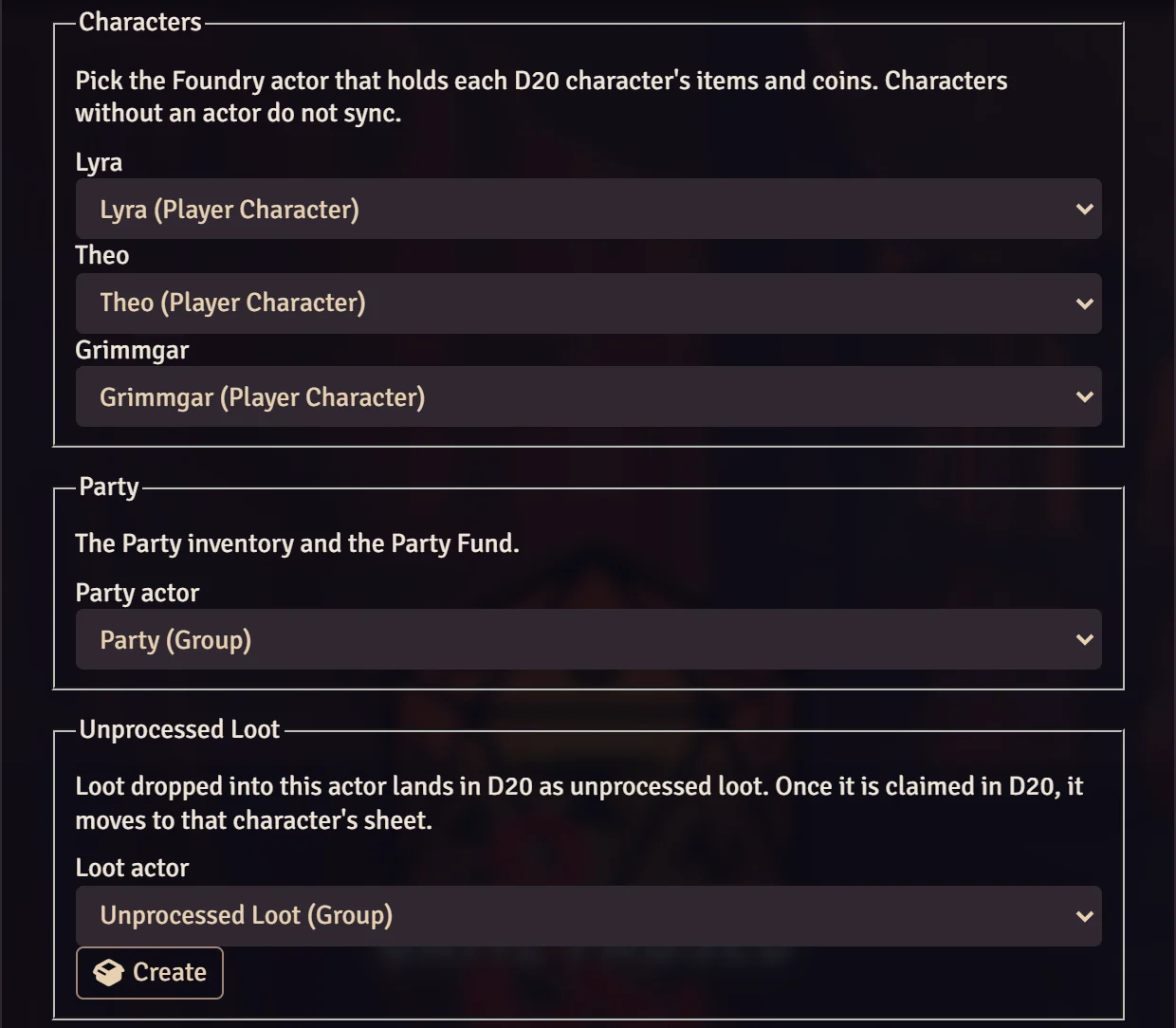
Back in Foundry, the same window lists the campaign's characters. Pick the actor that holds each one's items and coins; actors whose names match are suggested. A character with no actor does not sync until you link one.
Then pick the Party actor, which holds the Party inventory and the Party Fund: the pf2e party, the dnd5e primary party group, or any actor in pf1.
4.Pick or create the Unprocessed Loot actor
Loot the GM drops into this actor lands in the app's Unprocessed Loot, and once someone claims it there it moves to that character's sheet. Pick an existing actor or click Create:
- pf2e: a loot actor.
- dnd5e: a group actor with no members.
- pf1: an NPC actor with the pf1 NPC loot sheet. pf1 marks items created on an NPC as unidentified, so loot you create from scratch on this actor arrives in the app unidentified too. Drag items from a compendium, or tick Identified on the item, and they sync identified.
Click Save links. The first sync runs straight away.
The first sync
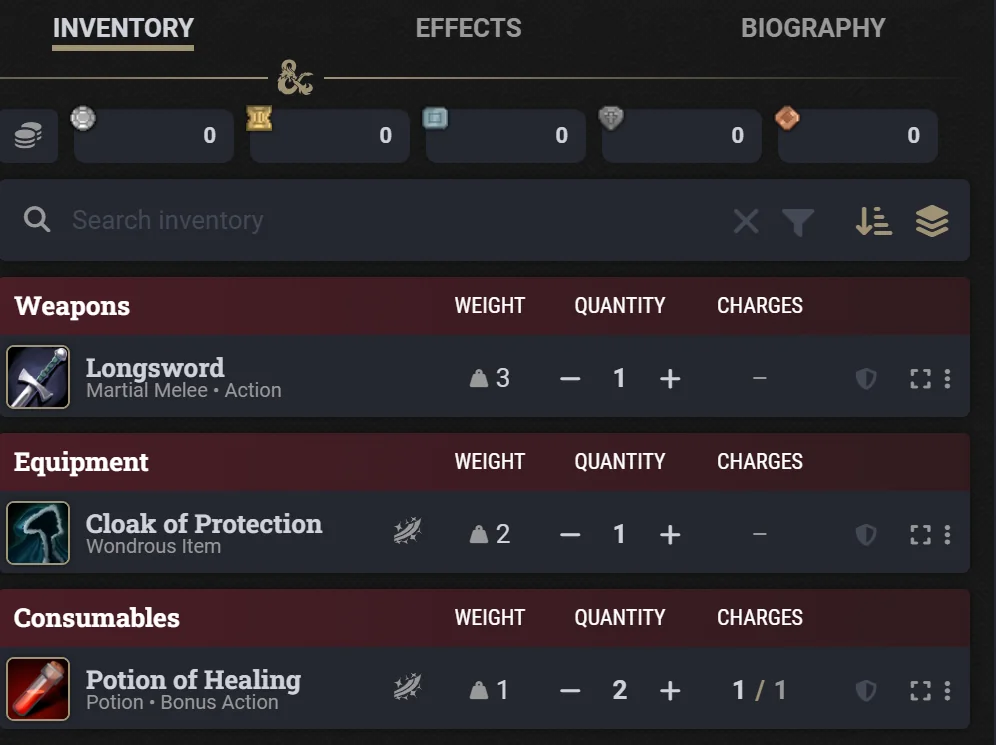
The first time an actor syncs, its items are paired with that character's items in the app by name. For each newly linked actor you choose which side to keep:
Keep both (the default)
Paired items take the app's values, items only one side has are added to the other, and coins stay as the app has them, unless the app's purse is empty, in which case the actor's coins go to the app.
D20 wins
The actor's inventory and coins become what the app holds. Items the app does not have are removed from the actor.
Foundry wins
The app takes the actor's inventory and coins. Items in the app that the actor does not have are marked Discarded.
D20 wins and Foundry wins ask you to confirm before the links are saved. After the first sync, the latest change on either side wins.
What syncs
In Foundry
An item on a linked actor
In D20 Loot Tracker
A stack of that item for the character, the Party or Unprocessed Loot
In Foundry
Name, value, and weight (pf1, dnd5e) or bulk (pf2e)
In D20 Loot Tracker
The same fields
In Foundry
Quantity
In D20 Loot Tracker
The number of copies. Fewer copies of a consumable are marked depleted; fewer of anything else, discarded
In Foundry
Ammunition quantity
In D20 Loot Tracker
The ammunition's count
In Foundry
Charges or uses
In D20 Loot Tracker
Charges
In Foundry
Identified or not, and the unidentified name
In D20 Loot Tracker
The unidentified flag and name
In Foundry
Equipped
In D20 Loot Tracker
Equipped (the app picks the slot)
In Foundry
Attuned (dnd5e) and rarity (pf2e, dnd5e)
In D20 Loot Tracker
The same fields
In Foundry
Dragging an item to another linked actor
In D20 Loot Tracker
A transfer between characters
In Foundry
Deleting an item
In D20 Loot Tracker
Discarded, and the ledger notes it was removed in Foundry
In Foundry
Coins on a character
In D20 Loot Tracker
That character's purse
In Foundry
Coins on the Party actor
In D20 Loot Tracker
The Party Fund
In Foundry
Coins in the pf2e Unprocessed Loot actor
In D20 Loot Tracker
Coin loot
| In Foundry | In D20 Loot Tracker |
|---|---|
| An item on a linked actor | A stack of that item for the character, the Party or Unprocessed Loot |
| Name, value, and weight (pf1, dnd5e) or bulk (pf2e) | The same fields |
| Quantity | The number of copies. Fewer copies of a consumable are marked depleted; fewer of anything else, discarded |
| Ammunition quantity | The ammunition's count |
| Charges or uses | Charges |
| Identified or not, and the unidentified name | The unidentified flag and name |
| Equipped | Equipped (the app picks the slot) |
| Attuned (dnd5e) and rarity (pf2e, dnd5e) | The same fields |
| Dragging an item to another linked actor | A transfer between characters |
| Deleting an item | Discarded, and the ledger notes it was removed in Foundry |
| Coins on a character | That character's purse |
| Coins on the Party actor | The Party Fund |
| Coins in the pf2e Unprocessed Loot actor | Coin loot |
What does not sync
Item descriptions (an item the app adds to Foundry gets the app's notes as its description, but Foundry descriptions are never sent to the app), spells, features, character stats, DM hoards, actors you have not linked, pf1's weightless coins, and coins on the dnd5e or pf1 Unprocessed Loot actor; add coin loot in the app instead. Items inside Foundry containers sync as their owner's items, and the app's own containers are not changed from Foundry.
Coins: platinum and electrum
Purses in the app hold gold, silver and copper. When coins change in Foundry, the app counts each platinum piece as 10 gold and each electrum piece as 5 silver, and the module rewrites the actor with the same total as 0 pp and 0 ep. For example, 2 pp, 3 gp and 1 ep become 23 gp and 5 sp.
pf1 and pf2e store whole coins only, so a purse of 12.5 gp in the app shows in Foundry as 12 gp 5 sp.
Who runs the sync
The sync runs in the browser of the GM who connected the world, while that browser has the world open. Changes made in the meantime, in Foundry or in the app, sync the next time it does. To sync from another browser or GM account instead, open the module's settings there and click Connect here; the previous browser stops syncing.
What leaves your world
Data leaves the world only for actors you link, and only to D20 Loot Tracker over HTTPS:
- For each item on a linked actor: its name, value, weight or bulk, quantity, charges, rarity, identification state and unidentified name, equipped and attuned state, item type, and the compendium it came from.
- The coin totals of linked characters and the Party actor.
- The IDs of the linked actors and their items.
- When connecting: the world's ID and title, the game system and its version, and the Foundry and module versions.
Nothing is sent about other actors, scenes, journals, chat or user accounts. The connection is kept only in the connecting GM's browser, never in the world. Disconnect in the module settings ends it, and a campaign owner can also end it from the app's Settings.
When something looks wrong
"The connection was revoked"
The connection was ended from the app. Open the module settings and connect again; your actor links are kept.
A character's items do not appear
Check that the character is linked to an actor in the module settings.
Changes from the app are not showing in Foundry
The sync runs in the connecting GM's browser while it has the world open. Open it there, or click Connect here in the browser you are using.
Everything looks out of step
Sync now in the module settings reloads the whole campaign from the app and applies it.
Still stuck? Ask in the D20 Loot Tracker Discord.
Ready for the next session
Install the module, connect the world and link the party before your next session.