Using D20 Loot Tracker in Discord: Setup and Commands
The D20 Loot Tracker bot puts your campaign's loot, gold, inventories and spells into the Discord server your group already uses. This page gets a server set up, then goes through every command by what you are trying to do at the time.
Published September 24, 2026
Before you start
You need a free D20 Loot Tracker account and a campaign you belong to. The bot never creates campaigns and never adds people to them. The DM invites players in the app, the same as always, and the bot picks that up.
Someone with the Manage Server permission on your Discord server, usually the owner or an admin, adds the bot once. After that, each person spends about a minute linking their own account, and whoever runs the channel spends another minute pointing it at the campaign.
Setup in four steps
1.Add the bot to your server
Click Add to Discord, choose the server, and approve. The bot asks for three things: to see channels, to send messages, and to embed links. That is what the feed needs and nothing more. It only ever receives the slash commands people run; it cannot read your conversations or post as anyone.
Add to Discord2.Link your account, once
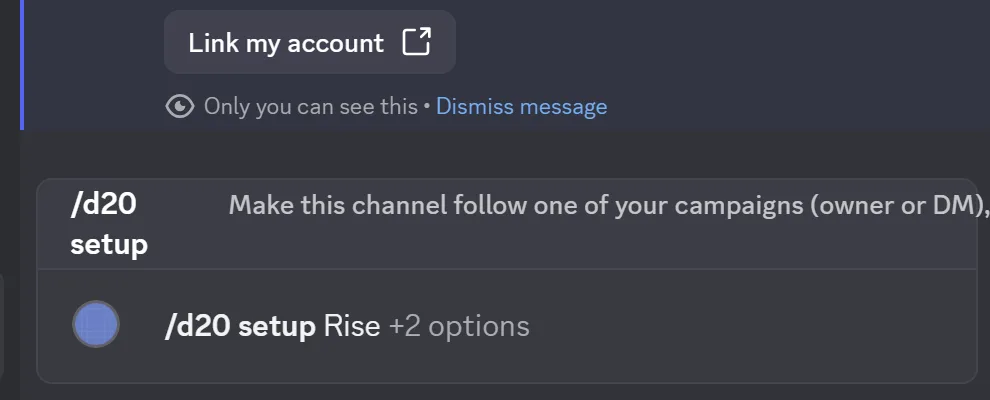
Everyone who will use the bot runs /d20 link in any channel of the server. The bot answers with a button that only you can see. It opens D20 Loot Tracker in your browser; sign in there if you are not already, press Continue with Discord, and Discord asks you to approve on its own screen. That is the whole link, and nobody can do it for you: the Discord account that signs in is the one that gets linked.
From then on, commands you run in Discord act as your account, with exactly the access you have in the app. A player sees and moves their own things. The DM sees everything, including what is hidden from the table.
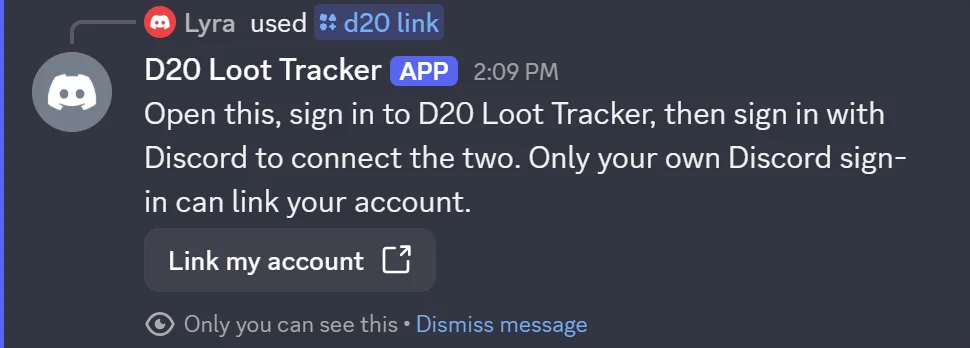
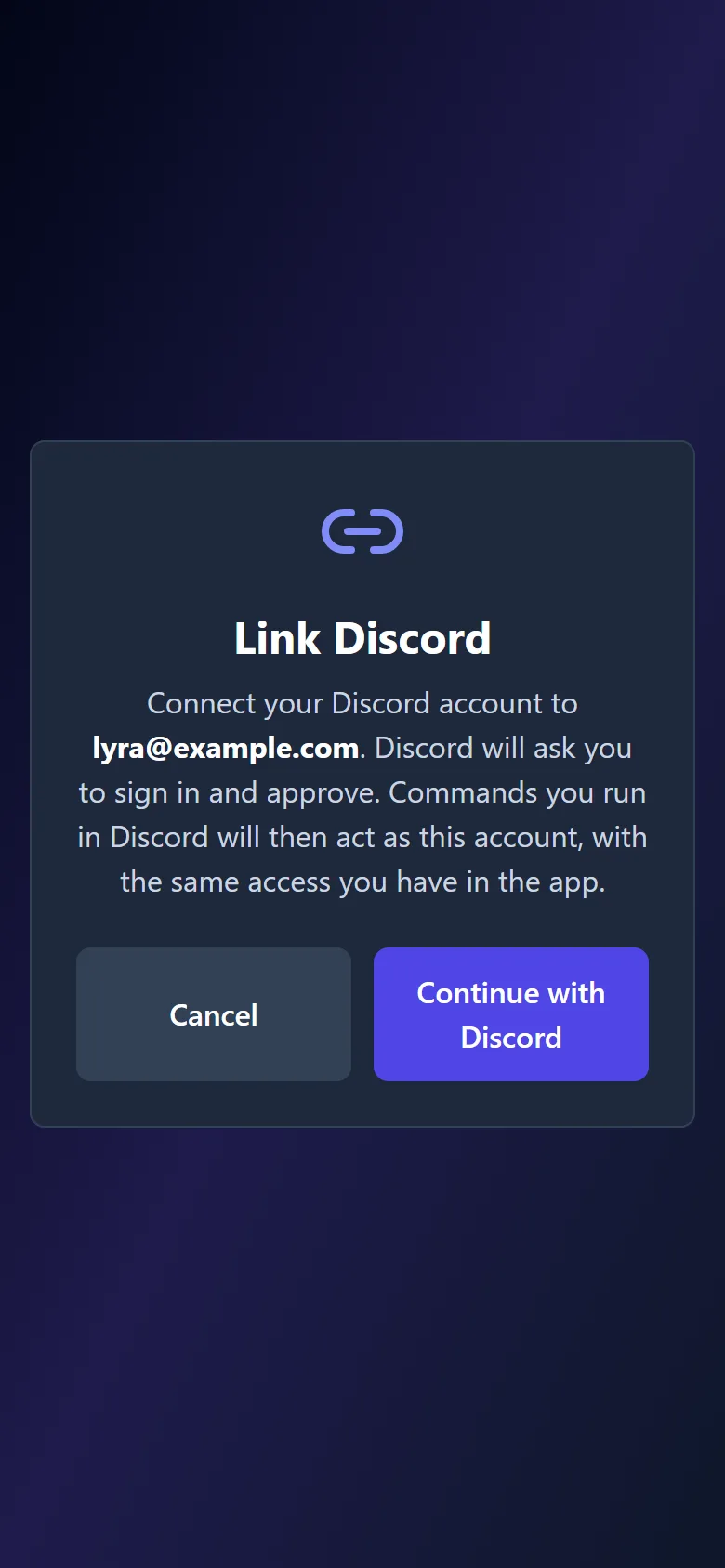
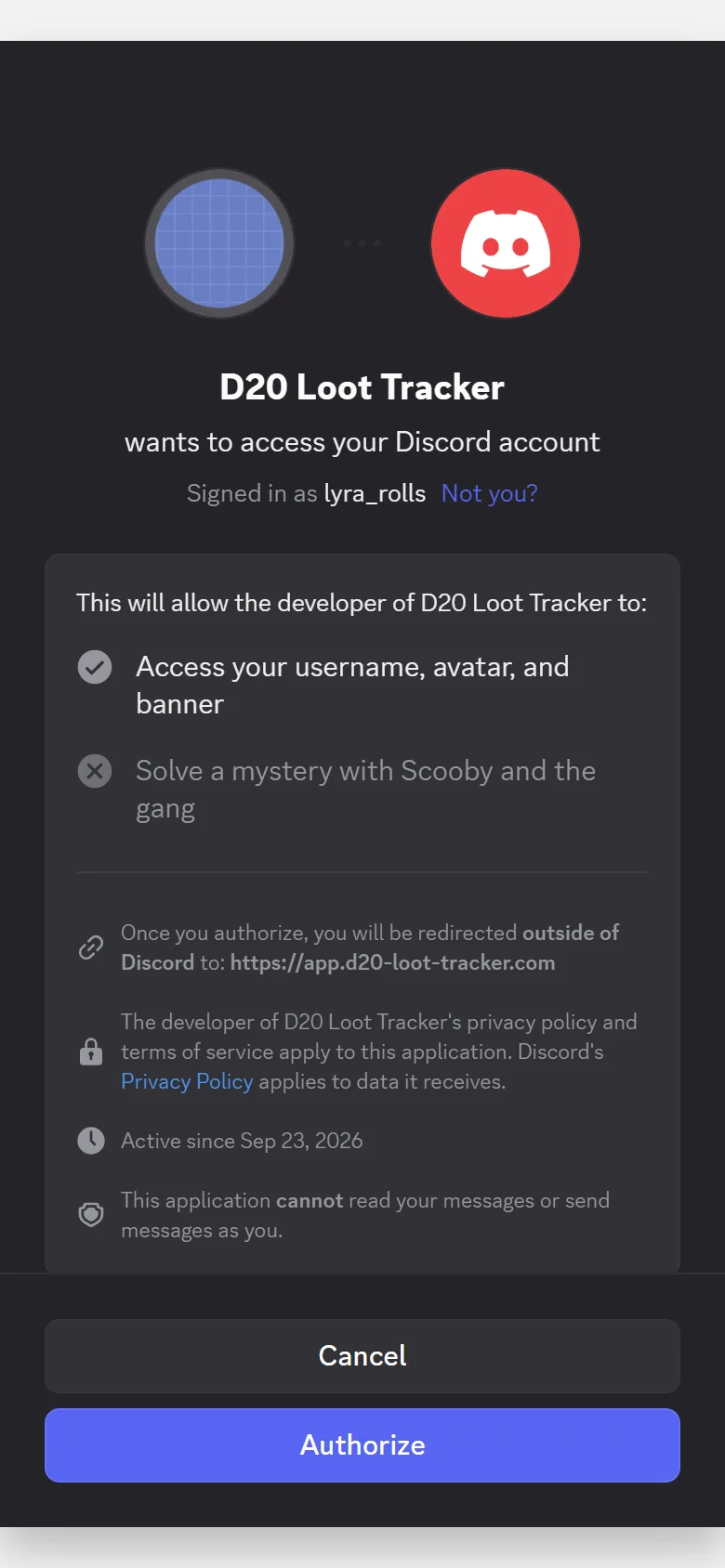
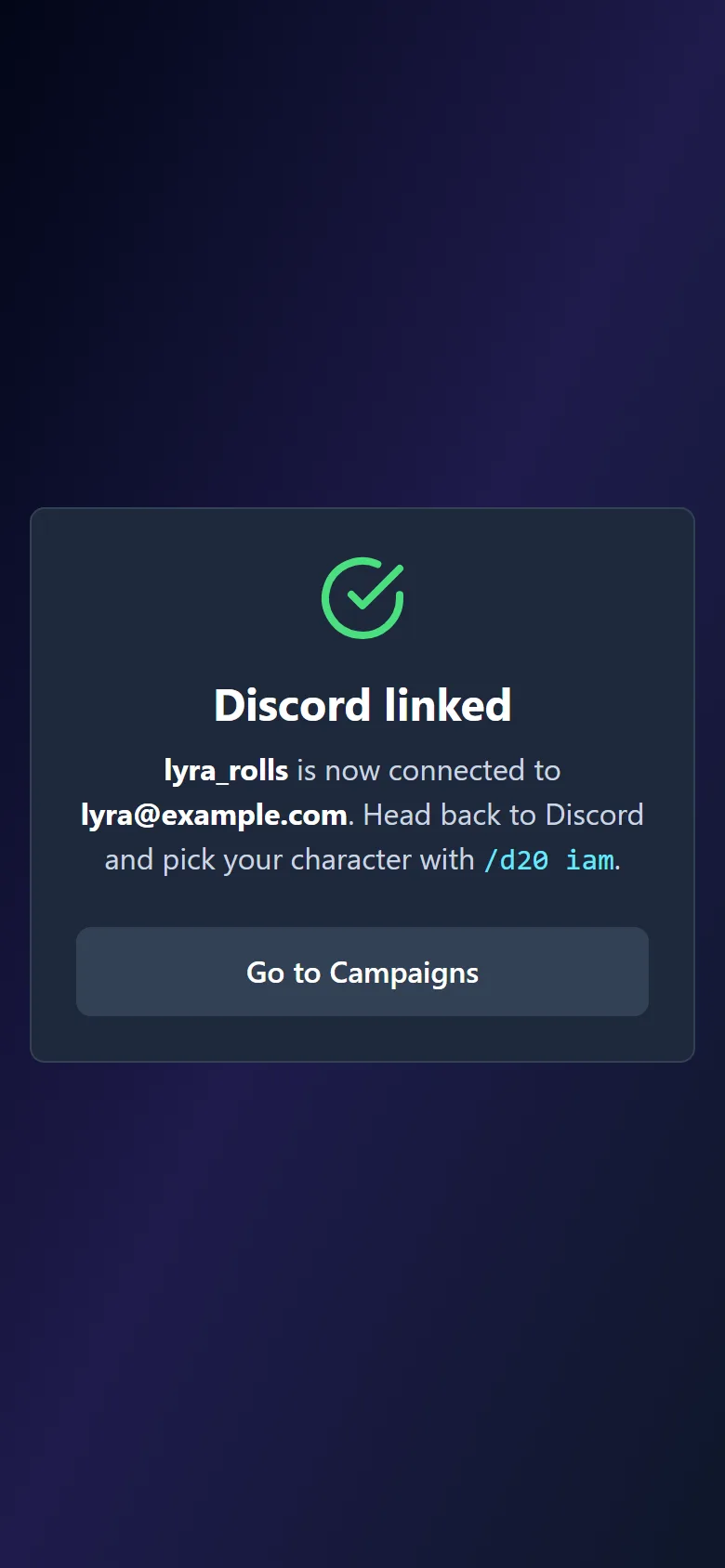
Names and addresses in these pictures are placeholders.
3.Point a channel at your campaign
In the channel the group wants to use, the campaign's owner or DM runs /d20 setup and picks the campaign from the list. You also need the Manage Channels permission in the Discord server for this one. That channel now follows the campaign: every new item, sale, split and payout posts there, and commands run in that channel act on that campaign.
Want the commands without the running commentary? /d20 updates with enabled: False turns the feed off and leaves everything else working. One campaign can post to several channels, and one server can follow several campaigns, one per channel.
4.Say who you are
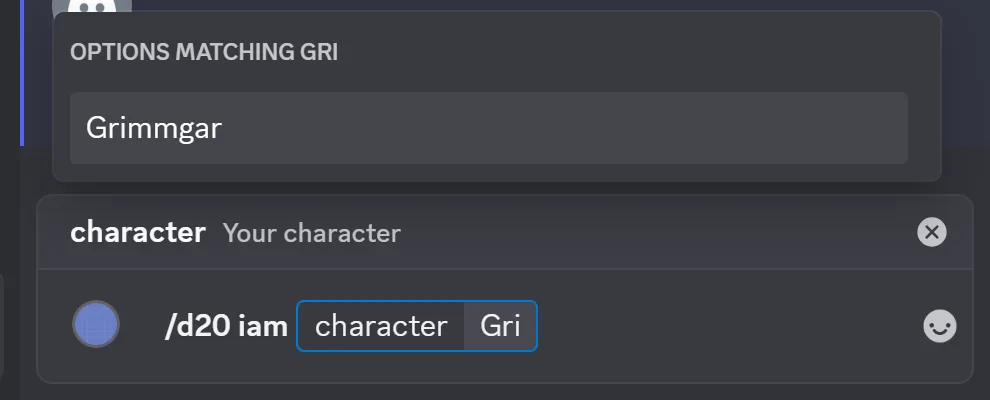
Run /d20 iam and pick your character from the list. Claiming loot, checking your purse, your inventory and your spells all default to that character from now on. The DM can name a different character in any command that takes one, which is how loot gets handed to a player who is away.

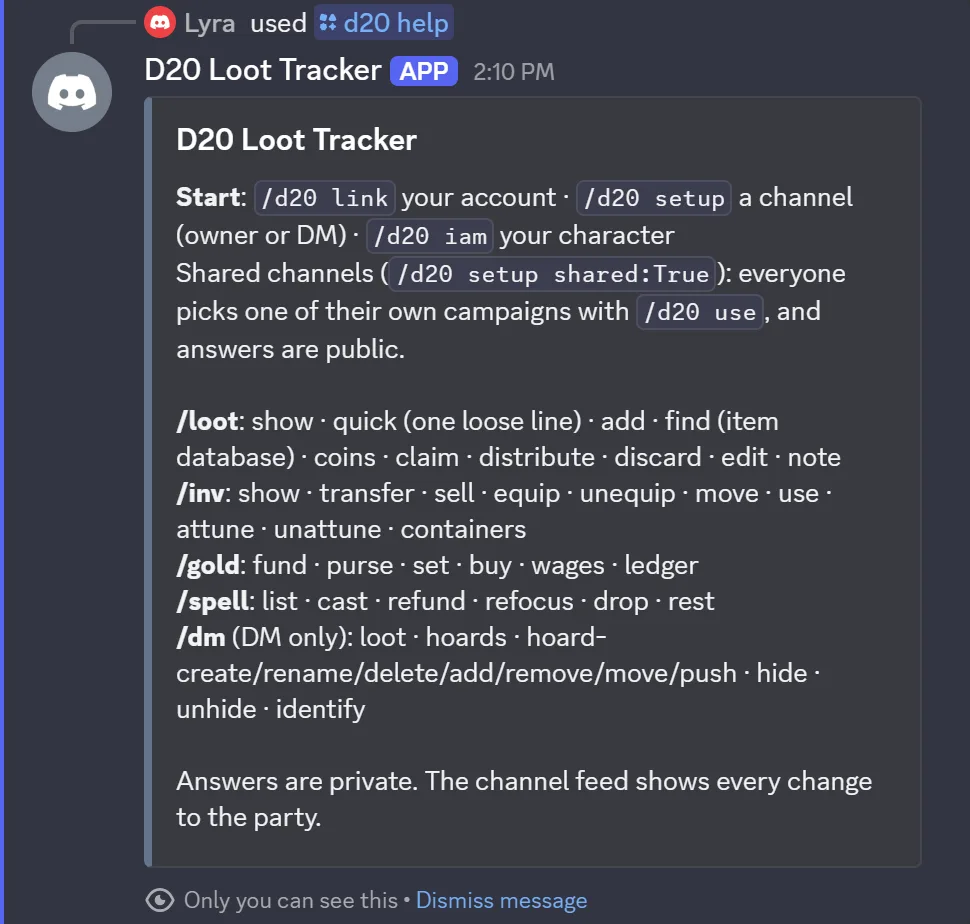
That is it. /d20 help shows the whole command list at any time. Replies to commands are private, marked "Only you can see this", so a busy channel does not fill up with everyone's inventory checks. The feed is public: that is the record the party shares.
During the session
Loot the party has found but not yet handed out lives in Unprocessed Loot, the same list the app's Loot tab shows. Everything in this group works on that list. When you have to name an item, start typing and pick it from the list the bot offers; that is how it knows which stack you mean.
Getting loot in
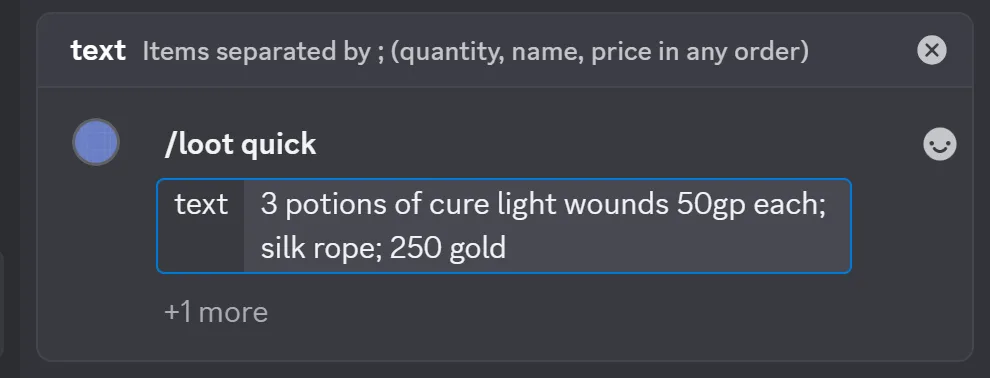
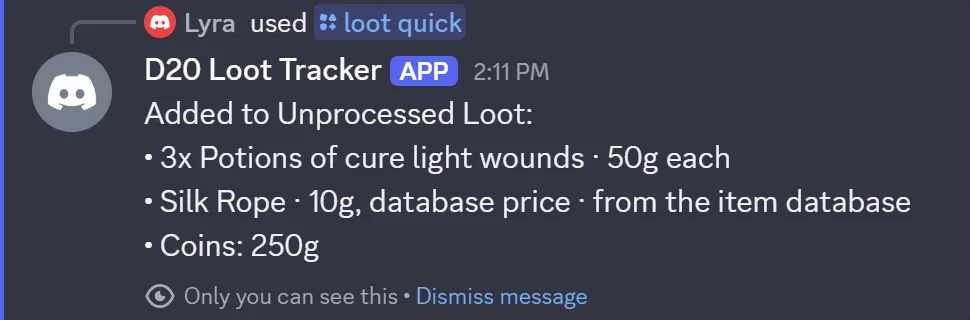
Add a whole haul from one line. Separate items with semicolons; put quantity, name and price in any order. A name the item database knows gets its book price unless you give one. Money on its own becomes coins.
Example: /loot quick 3 potions of cure light wounds 50gp each; silk rope; 250 gold
The channel sees: one feed post per item or stack, and one for the coins.
Search the item database for your game system and add the pick, with its price, weight or bulk and details filled in. Optional: quantity, treasure.
Example: /loot find item: Longsword quantity: 2
Add one item by hand with any details you want: quantity, type, treasure, weight (PF1e and 5e) or bulk (PF2e), rarity, charges, notes.
Example: /loot add name: Sunsword of the Marsh value: 2400g type: Weapon charges: 3
Add coins to the loot, ready to split. Optional label and note.
Example: /loot coins amount: 350g 4s name: The bandit chest
Looking and handing out
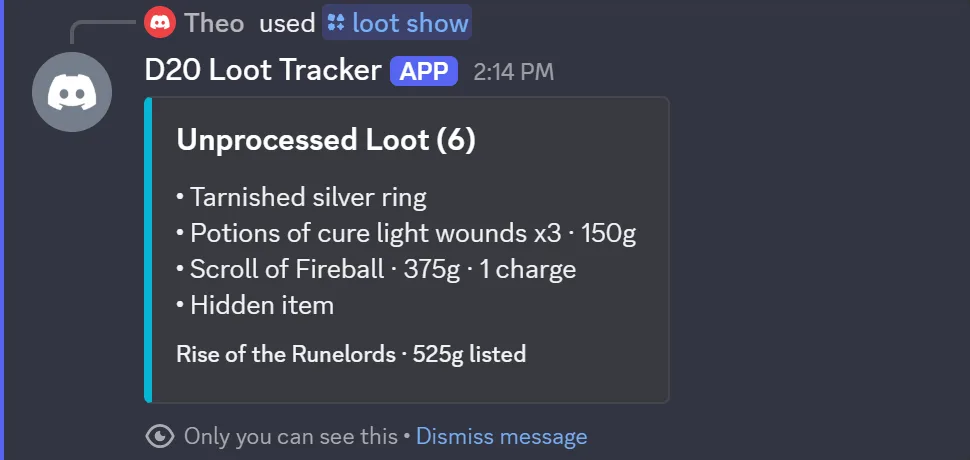
What is waiting to be handed out, with the total listed. Unidentified items show their cover name; hidden items show as a hidden item.
Take an item into a character's inventory. Defaults to your character; the DM can name another. Optional: quantity from a stack.
Example: /loot claim item: Silk Rope
The channel sees: Assigned Silk Rope to Grimmgar.
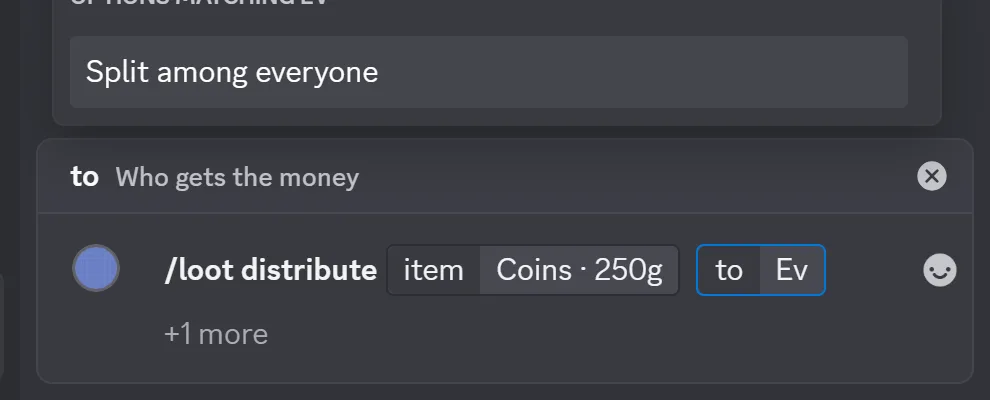
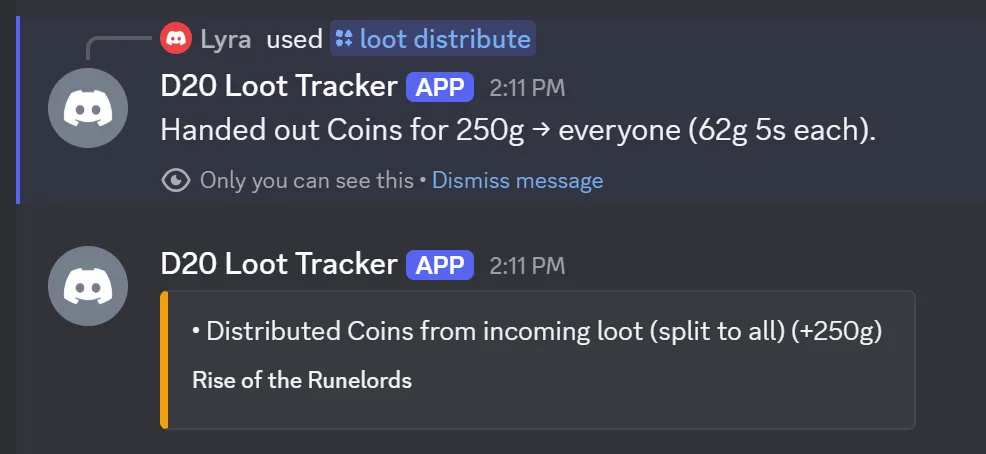
Hand out coins, or sell an item, and choose who gets the money: one character, the party fund, or everyone. Everyone means an equal share each (plus the fund, if your campaign gives it a share), and the banker keeps what will not divide.
Example: /loot distribute item: Coins to: Split among everyone
The channel sees: Distributed Coins from incoming loot (split to all) (+250g).
Throw an item away. Optional quantity.
Change a stack's name, value, type, treasure flag, charges or notes.
Set an item's notes.
Your character
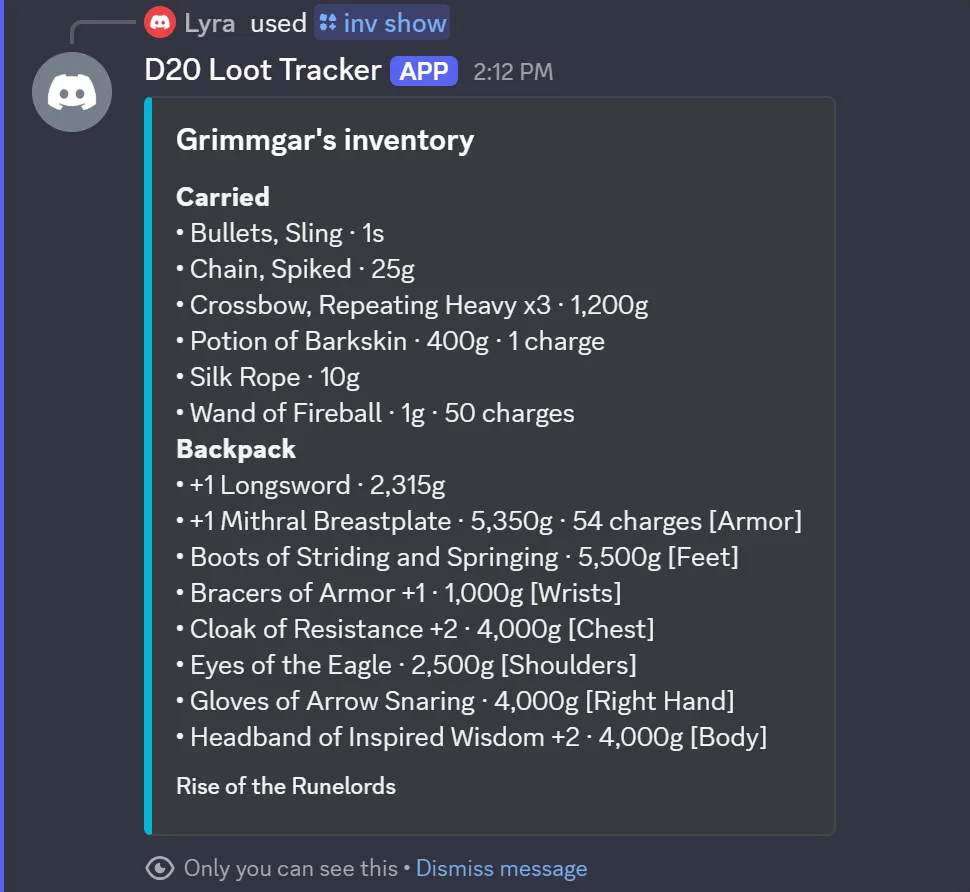
Everything a character carries: what is in which container, what is equipped, charges left on a wand. These default to the character you picked with /d20 iam.
Inventory
What a character carries, by container, with equipped slots marked. Optional: whose.
Give an item to another character. Optional: from (defaults to you), quantity.
Example: /inv transfer item: Potion of Barkskin to: Lyra
Sell an item from an inventory. Choose who gets the gold: the seller keeps it, split among everyone, or the party fund. Treasure sells at full value, loot at half, the same as in the app.
Example: /inv sell item: Chain, Spiked proceeds: Party Fund
The channel sees: the sale and where the gold went.
Put an item in an equipment slot. The slot list is your game system's.
Take an item off.
Move an item into one of your containers. Optional quantity.
Spend a charge (or several). An item at zero charges is used up, like in the app.
Example: /inv use item: Wand of Fireball amount: 2
Attune to an item (D&D 5e, up to three). /inv unattune ends it.
Add a container: a bag, a pack, a chest. Rename or delete with /inv container-rename and /inv container-delete; deleting moves its items to Carried.

Money
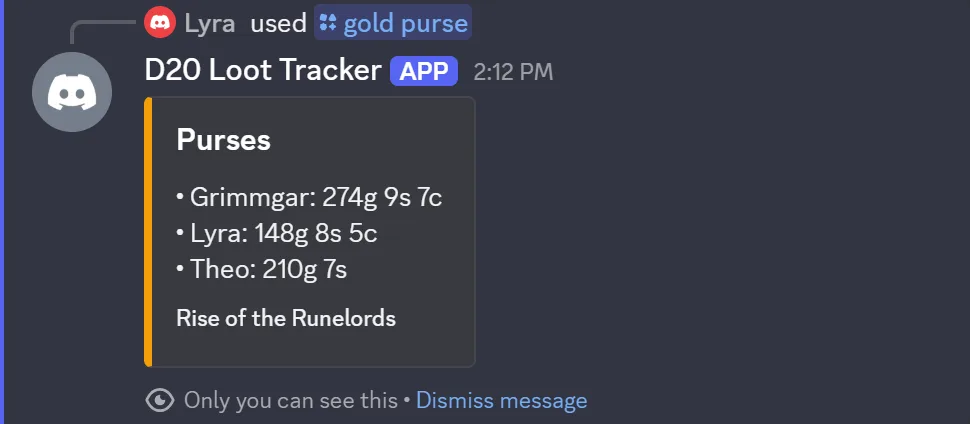
Purses are real coins, gold, silver and copper, kept separately per character and for the party fund, exactly as the app keeps them. Nothing here rounds.
Purses, buying, the ledger
Everyone's purse, or one character's.
The party fund.
Set one coin count in a purse, for corrections and session-zero setup.
Example: /gold set owner: Theo coin: Silver count: 12
Buy an item, paid from a purse. Pick it from the item database or type any name with a price. The item lands in the buyer's inventory.
Example: /gold buy item: Torch quantity: 5
The channel sees: the purchase and the price paid.
Pay wages from the party fund. Optional note.
The channel sees: the payment.
Recent history: everything, gold only, or items only. Up to 25 rows.
Casting
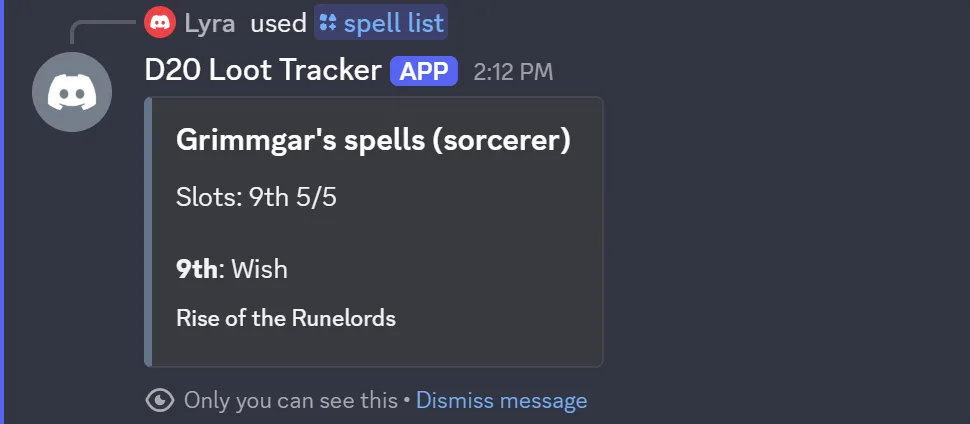
For characters with spellcasting set up in the app. Slots, focus points and concentration follow the same rules the app applies, per game system.
Spells, slots and rests
Spells, slots, focus and concentration for a character.
Cast a spell and spend the slot. Give a level to upcast (5e) or heighten (PF2e).
Example: /spell cast spell: Fireball level: 5
Undo a cast, at the level it was cast.
Regain a focus point (Pathfinder 2e).
Stop concentrating (D&D 5e).
Daily reset, or a 5e long or short rest.
DM only
These answer the campaign's DM and nobody else. Hoards are the same hoards as the app's DM tab: loot you prepare ahead of time and push to the party when they find it.
Prep and reveal
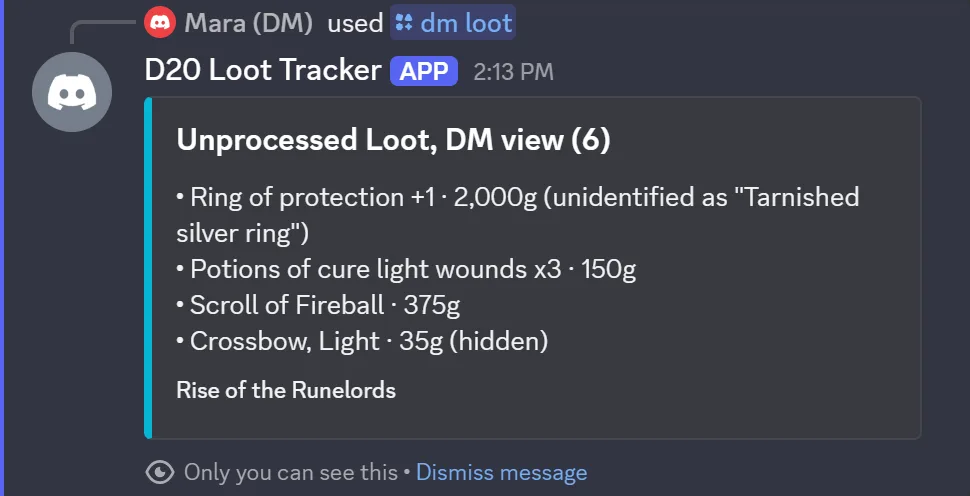
Unprocessed Loot with real names, and hidden and unidentified items marked.
Your hoards and what is in them.
Start a hoard. Optional description. Rename or delete with /dm hoard-rename and /dm hoard-delete.
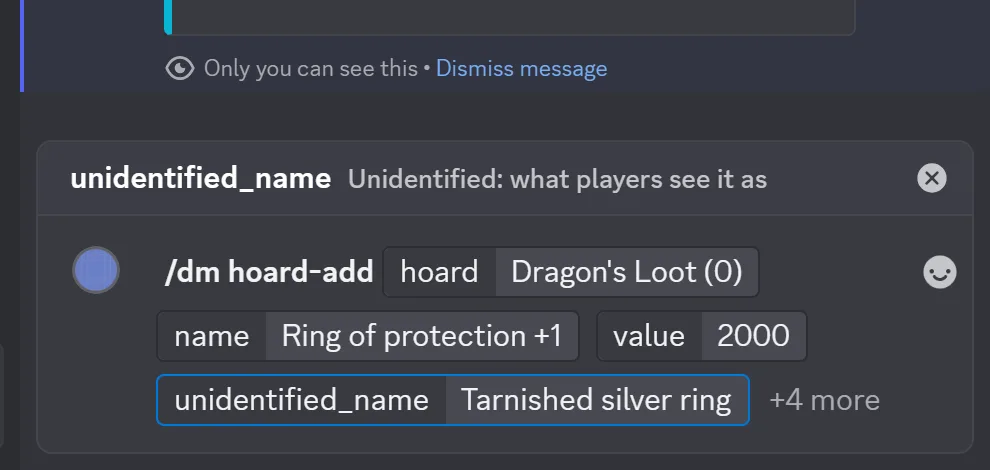
Add an item to a hoard, by name and value or picked from the item database. Optional: quantity, treasure, hidden, and an unidentified name the players will see instead of the real one.
Example: /dm hoard-add hoard: Dragon's Loot name: Ring of protection +1 value: 2000 unidentified_name: Tarnished silver ring
Take an item out of a hoard. /dm hoard-move sends it to another hoard.
Push a whole hoard into Unprocessed Loot. Unidentified items arrive under their cover name; hidden items arrive hidden.
The channel sees: one feed post with the cover names, and DM pushed the hoard.
Hide loot from players. /dm unhide shows it again.
Reveal what an unidentified item really is, to everyone.

Shared channels for community servers
A play-by-post or community server may have many groups and no single campaign. Run /d20 setup with shared: True in a channel, and everyone there uses their own campaign. Each person runs /d20 use once to pick which of theirs, or the bot picks for them if they only have one.
Two differences from a normal channel: answers post for everyone to see, so people can follow along, and there is no loot feed, because the channel does not belong to one campaign. /dm answers stay private.
Who can do what
- The bot acts as your linked account, with the role you have in the campaign. Viewers can look and cannot change anything; contributors and the DM can.
/dmcommands work only for the campaign's DM, and the database enforces it, not just the bot./d20 setupand/d20 updatesneed the campaign's owner or DM, plus the Manage Channels permission in the Discord server.- Adding the bot to a server needs the Manage Server permission there.
- Every change is written to the same ledger the app shows, under the account that made it.
What stays in the app
Some things need a screen rather than a command line. Open the web or Android app for encumbrance and load, adding or preparing spells, creating characters, inviting players, and moving gold between characters. Everything you do there shows up in the channel feed the same as a Discord command does.
When it says no
"Link your D20 Loot Tracker account first"
Run /d20 link and finish the sign-in with Discord. Each person links their own account.
"This channel is not connected to a campaign yet"
The campaign's owner or DM runs /d20 setup in this channel and picks the campaign.
"Pick your campaign here first: /d20 use"
This is a shared channel. Run /d20 use and choose which of your campaigns to act on.
"Pick the item from the list"
Start typing the option and choose an entry from the list the bot offers, rather than sending free text.
"Only the campaign's owner or DM can..."
Setup, feed changes and everything under /dm are for the people who run the campaign.
"Nothing comes back"
Discord gives a bot three seconds to acknowledge; the bot answers within that and finishes the work right after. If an answer really never arrives, run the command again, and check that the channel is set up.
Ready when your group is
Add the bot, link, set up a channel, and the next session's loot lands in Discord.